When it comes to vehicle troubleshooting, having the right tools can make all the difference. Wireless diagnostic scan tablets offer convenience and efficiency, allowing you to quickly diagnose issues without being tethered to your car. With numerous options available, it’s essential to find a tablet that suits your needs, whether you’re a seasoned mechanic or a DIY enthusiast. Let’s explore the top contenders that can elevate your automotive repair game.
BlueDriver Bluetooth Pro OBDII Scan Tool for iPhone & Android

If you’re looking for a reliable diagnostic tool that seamlessly connects to your smartphone or tablet, the BlueDriver Bluetooth Pro OBDII Scan Tool is an excellent choice for both iPhone and Android users. It’s compatible with all gas vehicles from 1996 onward, allowing you to diagnose over 7,000 issues, including check engine, ABS, and airbag alerts. The user-friendly app provides unlimited repair reports and live data monitoring while driving. With Bluetooth connectivity, you can eliminate messy wires. Plus, there’s no subscription fee and 24/7 professional support available. Get ready to troubleshoot your vehicle effortlessly!
Best For: Car owners looking for an easy-to-use, wireless diagnostic tool for checking vehicle issues without the need for professional help.
Pros:
- User-friendly app with unlimited repair reports and step-by-step directions.
- Bluetooth connectivity eliminates the need for messy wires.
- 24/7 professional support available via phone or in-app chat.
Cons:
- Limited to gas vehicles from 1996 onward, excluding diesel and hybrid models.
- Some advanced vehicle diagnostics may not be available for all makes and models.
- Initial setup may require a learning curve for non-tech-savvy users.
Autel Scanner MaxiCOM MK808S Diagnostic Tool
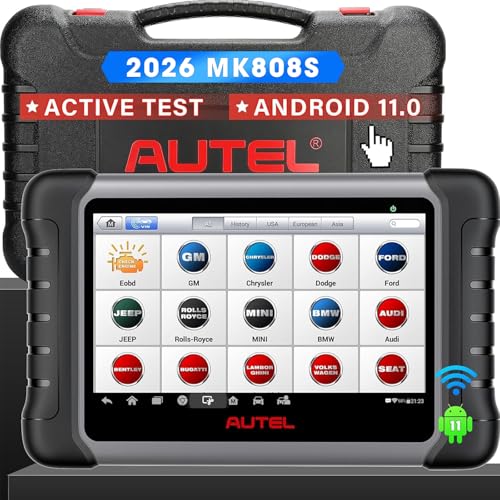
The Autel Scanner MaxiCOM MK808S Diagnostic Tool is an excellent choice for both professional mechanics and home automotive enthusiasts, thanks to its extensive diagnostic capabilities and user-friendly design. With support for over 150 car brands, it offers 28+ popular reset services, including Oil Reset and ABS Bleeding. You can perform all system diagnostics, read and clear codes, and utilize the AutoVIN technology for quick vehicle identification. Plus, it’s cost-effective, providing dealer-level diagnostics without hefty subscription fees. With a year of free updates and 24/7 customer support, you’ll have everything you need for efficient vehicle troubleshooting at your fingertips.
Best For: The Autel Scanner MaxiCOM MK808S is best for professional mechanics and automotive enthusiasts seeking a comprehensive diagnostic tool with extensive vehicle compatibility.
Pros:
- Wide compatibility: Supports over 150 car brands, making it versatile for various vehicles.
- Cost-effective: Offers dealer-level diagnostics without the high subscription costs associated with some competitors.
- User-friendly: Features like AutoVIN technology and 28+ reset services simplify the diagnostic process for users.
Cons:
- Initial setup may be complex: Some users may find the initial setup and updates challenging without prior experience.
- Limited advanced features: While comprehensive, it may lack some high-end features found in more expensive diagnostic tools.
- Software updates beyond the first year require payment: After the first year of free updates, ongoing software updates incur additional costs.
TOPDON Bidirectional Scan Tool, 2025 New ArtiDiag900 Lite Automotive Diagnostic Tool

For automotive enthusiasts and professionals seeking a reliable diagnostic tool, the TOPDON Bidirectional Scan Tool, 2025 New ArtiDiag900 Lite stands out with its impressive bidirectional control feature. This tool allows you to actively test components like injectors and wipers, enhancing your troubleshooting efficiency. Equipped with an 8-inch touchscreen and a powerful 5x faster CPU, it runs on Android 11.0, ensuring smooth operation. With support for 8 reset services and compatibility with over 10,000 vehicles, it’s a versatile choice. Plus, you’ll appreciate the 1-year warranty and 2-year free software updates for ongoing support.
Best For: Automotive enthusiasts and professionals who require a comprehensive and efficient diagnostic tool for vehicle maintenance and troubleshooting.
Pros:
- Enhanced bidirectional control allows for active testing of various vehicle components.
- User-friendly 8-inch touchscreen and fast Android 11.0 operating system ensure smooth navigation and operation.
- Extensive compatibility with over 10,000 vehicles and support for multiple reset services.
Cons:
- May have a learning curve for users unfamiliar with advanced diagnostic tools.
- High initial investment compared to simpler OBD2 scanners.
- Limited availability of certain features for vehicles outside the specified model years (1996-2025).
XTOOL Anyscan A30M V2.0 OBD2 Scanner Diagnostic Tool

Offering extensive bidirectional control, the XTOOL Anyscan A30M V2.0 OBD2 Scanner Diagnostic Tool is an excellent choice for both professional mechanics and DIY enthusiasts. It supports over 85 car brands from 1996 onward, ensuring compatibility with a wide range of vehicles. With Bluetooth 4.0 connectivity, you can enjoy cable-free diagnostics up to 33 feet away. You’ll benefit from live data streams and 26 reset functions, including Oil Reset and Throttle Body Relearn. Plus, it offers free lifetime software updates, so you won’t have to worry about subscription fees. Experience effortless troubleshooting with this powerful tool!
Best For: The XTOOL Anyscan A30M V2.0 is best for professional mechanics and DIY enthusiasts looking for a versatile and reliable OBD2 diagnostic tool.
Pros:
- Comprehensive Compatibility: Works with over 85 car brands and models from 1996 onward.
- User-Friendly Features: Offers wireless connectivity and live data streaming for easy diagnostics.
- Free Lifetime Updates: Includes free software updates without any subscription fees.
Cons:
- FCA AutoAuth Registration Required: Requires separate registration and payment for FCA AutoAuth access.
- Limited to One Vehicle at a Time: Cannot connect to multiple vehicles simultaneously.
- Potential Learning Curve: May require time to familiarize users with all features and functions.
2025 Bluetooth OBD2 Scanner for iPhone & Android
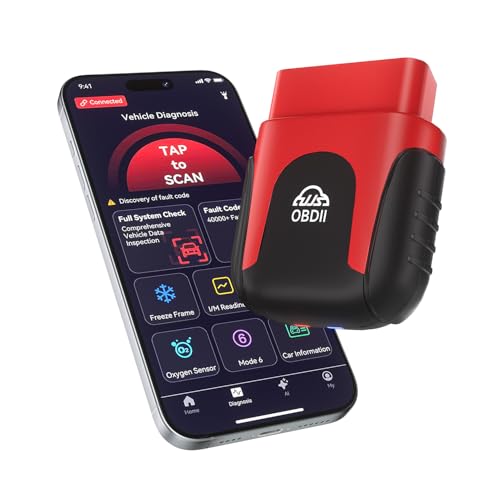
Bluetooth OBD2 scanners are ideal for DIY mechanics and car enthusiasts looking for a user-friendly way to diagnose vehicle issues. The 2025 Bluetooth OBD2 Scanner for iPhone and Android stands out with its AI-powered features, generating car health reports in minutes. Its ultra-compact design guarantees easy portability, while Bluetooth 5.4 allows for seamless, wireless connection. You’ll appreciate the real-time data visualization, helping you catch intermittent problems that standard code readers might miss. Plus, it’s universally compatible with all vehicles from 1996 onward and includes lifetime updates and customer support, making it a smart investment for any car owner.
Best For: DIY mechanics and car enthusiasts who desire an easy and efficient way to diagnose vehicle issues.
Pros:
- AI-Powered Features: Generates quick and understandable car health reports with actionable repair advice.
- Real-Time Data Visualization: Displays live data graphs to help identify potential issues that may be overlooked by standard code readers.
- Universal Compatibility: Works with all OBD2 protocol vehicles from 1996 onwards, ensuring broad usability.
Cons:
- Limited to OBD2 Protocol: Cannot diagnose vehicles that do not support the OBD2 standard.
- Requires Smartphone App: Relies on a mobile app for functionality, which may not be convenient for all users.
- No Physical Display: Lacks a built-in display, requiring users to check their smartphone for diagnostics.
GEARWRENCH 7″ Wireless Bi-Directional Diagnostic Scanner Tablet | GWSMART07

The GEARWRENCH 7″ Wireless Bi-Directional Diagnostic Scanner Tablet | GWSMART07 stands out as an exceptional tool for both professional mechanics and DIY enthusiasts seeking thorough vehicle diagnostics. With OE-level diagnostics, you can perform full system scans and access 38 pro reset functions. Its LCD touchscreen guarantees visibility, while topology mapping enhances your understanding of vehicle communications. The built-in WiFi allows for a hassle-free connection without messy wires. Plus, the 8-megapixel camera aids in documentation. Enjoy 3 years of free software updates and a 2-year warranty, making it a smart investment for your automotive toolkit.
Best For: Professional mechanics and DIY enthusiasts seeking comprehensive vehicle diagnostics and repair solutions.
Pros:
- OE-level diagnostics provide in-depth system scans and access to manufacturer fault codes for accurate troubleshooting.
- Bidirectional control allows for active tests on various vehicle components, enhancing repair capabilities.
- Built-in WiFi facilitates easy, wireless connectivity, eliminating the hassle of tangled cables.
Cons:
- After three years, software updates require a subscription fee, which could add to long-term costs.
- The 8-megapixel camera may not suffice for high-resolution documentation needs compared to standalone cameras.
- The price point may be higher than basic diagnostic tools, which could deter budget-conscious users.
Autel MaxiCOM MK900BT Bidirectional Diagnostic Tool
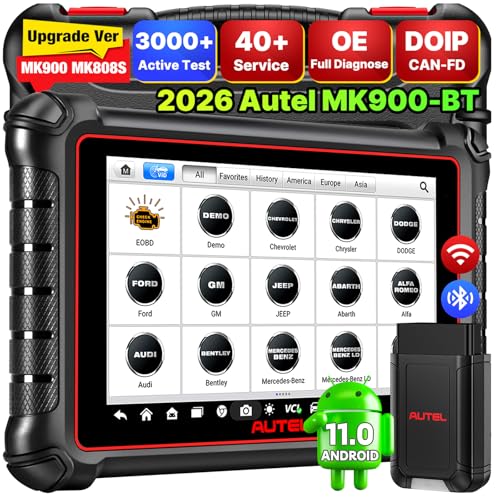
For automotive professionals and serious DIYers alike, the Autel MaxiCOM MK900BT Bidirectional Diagnostic Tool stands out with its extensive capabilities. With over 3000 active tests and 40 maintenance services, it guarantees thorough diagnostics across all systems. You’ll appreciate features like Auto VIN and WiFi printing for quick report generation. The responsive 8-inch display showcases OE-level diagnostics, while the robust hardware, powered by Android 11.0, offers smooth performance. Capable of supporting more than 150 makes from 1996 to 2026, it’s designed for versatility. Plus, enjoy a year of free software updates for continued reliability in your troubleshooting tasks.
Best For: The Autel MaxiCOM MK900BT is best for automotive professionals and serious DIYers looking for a comprehensive and versatile diagnostic tool.
Pros:
- Extensive capabilities with over 3000 active tests and 40 maintenance services for thorough diagnostics.
- User-friendly features like Auto VIN and WiFi printing for efficient report generation.
- Robust hardware and software performance, powered by Android 11.0, ensuring smooth operation.
Cons:
- Compatibility may vary by vehicle, requiring users to check VIN for specific functions.
- The initial cost may be high for casual users or those with limited diagnostic needs.
- While it offers a year of free updates, some features may become inactive after the subscription period.
OBD2 Scanner Bluetooth Wireless Diagnostic Tool for iOS & Android

Looking for an efficient way to diagnose your vehicle? The OBD2 Scanner Bluetooth Wireless Diagnostic Tool is a game changer for both iOS and Android users. Weighing just 2 ounces, this compact device supports over 96% of cars from 1996 onward, making it a versatile choice. With Bluetooth 5.4 technology, you’ll enjoy fast, reliable connections. The intuitive app simplifies interpreting check engine lights and suggests fixes. Plus, its live data monitoring gives you real-time insights into your engine’s performance. Save time and money by diagnosing issues yourself, all while benefiting from excellent customer support and a solid warranty.
Best For: Car owners looking for a cost-effective, user-friendly solution to diagnose vehicle issues without a trip to the repair shop.
Pros:
- Comprehensive diagnostic capabilities support a wide range of vehicles and provide detailed performance insights.
- User-friendly app helps both novices and experienced users understand check engine lights and offers DIY repair guidance.
- Bluetooth 5.4 technology ensures fast and reliable wireless connections, enhancing user convenience.
Cons:
- Fault code clearing requires repairs to be made first, which may necessitate additional visits to a repair shop.
- Battery consideration is needed as the device should be unplugged after use to prevent draining the car’s battery.
- Limited direct troubleshooting support, as most support is provided via email rather than immediate assistance.
TOPDON TopScan Lite OBD2 Scanner Bluetooth

TOPDON TopScan Lite OBD2 Scanner Bluetooth stands out as an exceptional choice for DIY car enthusiasts and professional mechanics alike, thanks to its bi-directional control feature. This scanner works seamlessly with iOS and Android devices, offering full system diagnostics, real-time data viewing, and 8+ reset functions, including Oil Reset and ABS Bleeding. It covers over 100 car brands, supports extensive protocols, and features a user-friendly app for quick pairing. With a subscription model that’s cost-effective and valuable diagnostic resources, you’ll quickly tackle vehicle issues and enhance your troubleshooting experience without the hassle of wires.
Best For: DIY car enthusiasts and professional mechanics seeking a versatile and efficient OBD2 scanner for comprehensive vehicle diagnostics.
Pros:
- Offers bi-directional control for active testing of various components, enhancing troubleshooting efficiency.
- Supports over 100 car brands and 10,000+ models, ensuring extensive compatibility.
- Provides valuable diagnostic resources, including repair guides and a fault code database, for quick issue resolution.
Cons:
- Requires a subscription for advanced features after the first year, which may incur additional costs.
- Limited functionality without a subscription in the second year, potentially restricting access to diagnostic tools.
- Bluetooth connectivity may face occasional pairing issues with certain devices.
ANCEL AD310 OBD II Scanner Car Engine Fault Code Reader

If you’re a DIY mechanic or car enthusiast, the ANCEL AD310 OBD II Scanner is an invaluable tool for diagnosing engine issues. It’s compatible with vehicles from 1996 and newer, making it widely usable. The scanner quickly reads and clears diagnostic trouble codes, identifies check engine light causes, and displays live data. Its sturdy design, with a 2.5-foot cable and user-friendly interface, guarantees you won’t struggle to find results. Plus, it’s powered directly from the OBDII connector, so there’s no need for batteries. Just keep in mind it primarily focuses on emission-related issues.
Best For: DIY mechanics and car enthusiasts looking for an affordable and reliable tool to diagnose engine issues in vehicles from 1996 and newer.
Pros:
- Quickly reads and clears diagnostic trouble codes, saving time and effort.
- User-friendly design with clearly labeled buttons and a large screen for easy navigation.
- Powered directly from the OBDII connector, eliminating the need for batteries or chargers.
Cons:
- Primarily focuses on emission-related issues and cannot diagnose unrelated engine fault codes.
- Only compatible with OBDII vehicles, making it unsuitable for older OBDI models.
- Limited functionality compared to more advanced scanners that offer extensive features.
Factors to Consider When Choosing a Wireless Diagnostic Scan Tablet
When you’re choosing a wireless diagnostic scan tablet, consider several key factors. Look at the diagnostic capabilities, vehicle compatibility, and user interface design, as these will impact your experience. Don’t forget to check the connectivity options and any reset functions included, since they can make a significant difference in performance.
Diagnostic Capabilities Offered
Choosing a wireless diagnostic scan tablet involves several vital factors, particularly the diagnostic capabilities it offers. Look for tools that provide full system diagnostics, allowing you to scan all systems, including Engine, ABS, SRS, and Transmission. Make sure the tablet can read and clear diagnostic trouble codes (DTCs) and provide ECU information for effective troubleshooting. Active testing capabilities are essential, enabling you to perform live tests on components like windows and fuel pumps to confirm their operational status. Consider tools with a wide range of reset functions, such as Oil Reset and ABS Bleeding, important for vehicle maintenance. A robust live data feature that displays real-time data streams will help you identify intermittent issues and monitor vehicle performance effectively.
Vehicle Compatibility Range
A significant aspect of selecting a wireless diagnostic scan tablet is its vehicle compatibility range. You’ll want a tool that supports a wide variety of makes and models—ideally over 100 brands and thousands of vehicles. This guarantees you can handle diverse customer needs. Check for compatibility with both domestic and international vehicles, covering models from the U.S., Europe, and Asia. Make certain the scanner works with vehicles from 1996 onward, aligning with OBDII protocol standards. It’s also essential that the tool supports the latest automotive protocols, like CAN-FD and FCA AutoAuth, for diagnosing newer models. Finally, verify extensive coverage of all critical systems, such as engine, transmission, ABS, and SRS, for effective diagnostics.
User Interface Design
How essential is the user interface design when selecting a wireless diagnostic scan tablet? It’s incredibly important. A well-designed interface features a large, backlit touchscreen, making it easy to see in various lighting conditions. You’ll appreciate an intuitive layout with clearly labeled buttons, allowing you to operate the device without extensive training. Visual elements like topology mapping provide quick insights into system communications and fault locations, enhancing your diagnostic efficiency. Real-time data visualization is another key aspect, presenting live data in easy-to-read charts and graphs for better vehicle performance analysis. Finally, regular software updates guarantee the interface remains optimized and compatible with evolving vehicle technologies, keeping your diagnostic tool up-to-date and effective.
Connectivity Options Available
When evaluating wireless diagnostic scan tablets, connectivity options play a significant role in enhancing your overall experience. Most of these tablets utilize Bluetooth technology, allowing you to work cable-free and enjoy greater ease during diagnostics. You’ll find that the range of Bluetooth connections can vary, with some devices offering up to 33 feet (10 meters) of flexibility. Look for models that support advanced Bluetooth versions like 5.0 or 5.4 for faster data transfer and improved reliability. Additionally, some tablets come with built-in WiFi capabilities, enabling seamless updates and access to online resources without hassle. Ensuring compatibility with various operating systems, such as iOS and Android, will make it easier for you to connect to your devices.
Reset Functions Included
Reset functions are critical features to evaluate in a wireless diagnostic scan tablet, especially if you want to perform essential maintenance tasks. These functions, such as Oil Reset, ABS Bleeding, and Throttle Adaptation, help restore various vehicle systems to peak performance after repairs. Many advanced tablets offer over 26 reset services, enhancing their versatility beyond diagnostics. Specific capabilities for systems like Battery Management System (BMS) and Electronic Parking Brake (EPB) are increasingly important in modern vehicles. By having these reset functions available, you can greatly reduce the time and cost associated with vehicle maintenance, allowing you to tackle DIY repairs and minimize visits to professional services. Investing in a tablet with robust reset capabilities is a smart choice.
Update and Maintenance Policy
While selecting a wireless diagnostic scan tablet, considering the update and maintenance policy is essential for ensuring long-term usability. Many devices offer free software updates for a limited time, often just one year. However, some tools provide lifetime updates without additional fees, ensuring you stay compatible with newer vehicle models and protocols. Regular updates enhance functionality, adding features and improving diagnostic capabilities, which is vital as automotive technology evolves. Additionally, understanding how updates are delivered—whether via Wi-Fi or manual downloads—can greatly impact your user experience. Finally, maintenance policies usually include warranty periods, typically ranging from one to three years, reflecting the manufacturer’s confidence in their product’s durability and performance. Choose wisely to maximize your investment.
Warranty and Support Services
Understanding the warranty and support services available for a wireless diagnostic scan tablet is essential, as it can greatly influence your overall experience and satisfaction. A robust warranty gives you peace of mind, covering defects and guaranteeing your device stays functional for a good period after purchase. Look for support services like 24/7 customer assistance, which can provide immediate help with technical issues or diagnostic queries. Free software updates for a specified time keep your tablet compatible with newer vehicle models. Access to online repair guides and troubleshooting resources can also enhance your user experience. Finally, a clear return or exchange policy guarantees you can seek a refund or replacement if the product doesn’t meet your expectations.
Price and Value Assessment
When you’re choosing a wireless diagnostic scan tablet, evaluating price and value is essential to guarantee you make a smart investment. Start by comparing the initial purchase cost against potential long-term savings on repairs and shop visits. Don’t forget to factor in subscription fees for software updates, as some affordable devices might come with hidden ongoing costs. Look for tablets with extensive diagnostic capabilities and reset functions; these versatile tools often provide better value over time. Additionally, consider warranty lengths and customer support options—strong support can enhance your overall investment. Finally, check the compatibility with various vehicle makes and models; a broader range increases the usefulness of your diagnostic tool and ultimately its value.